
Donations
Donation reports
Track every donation and download detailed reports.
1
Accessing your reports
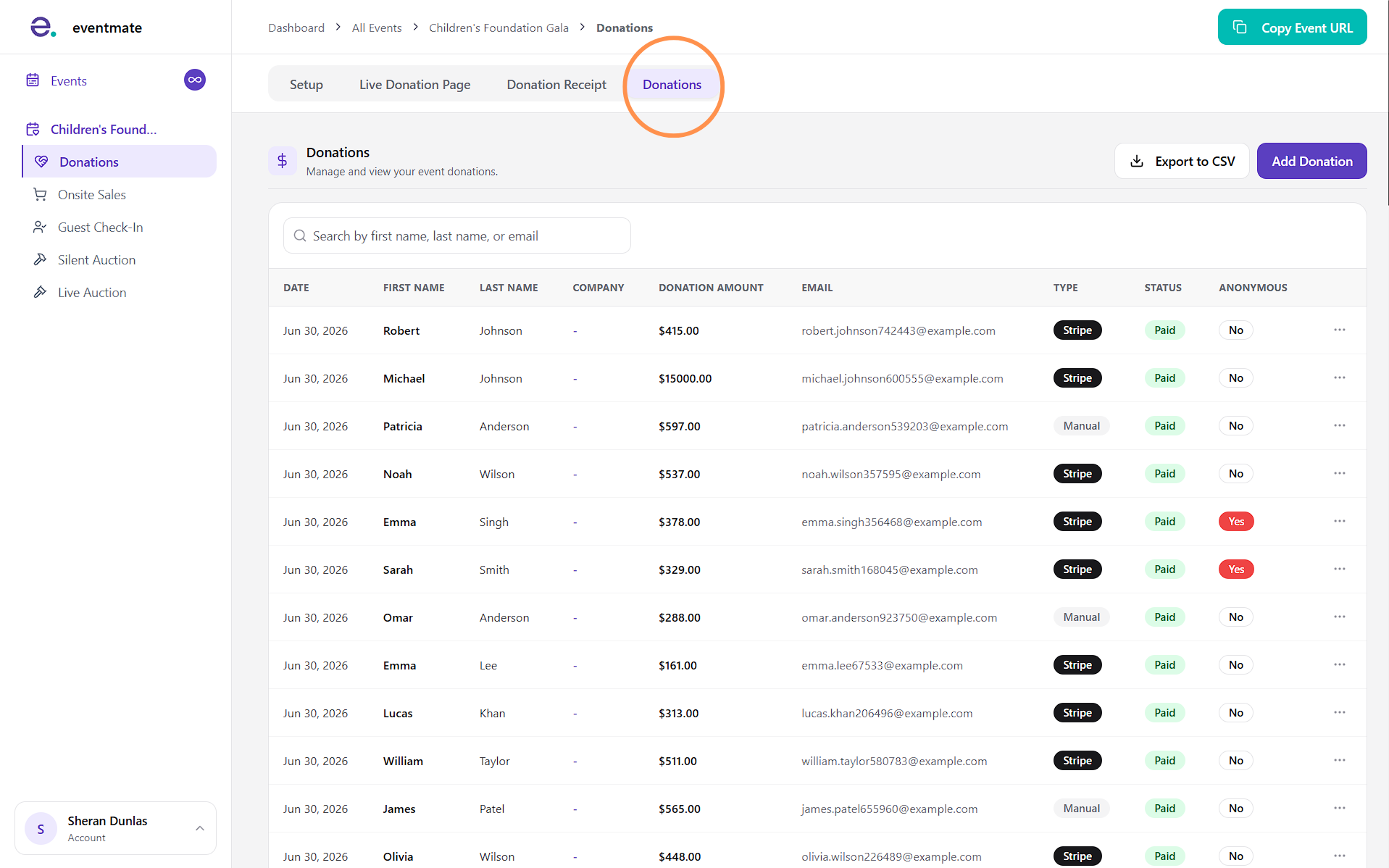
Click the Donations tab within the donation feature to open the reporting section, where you'll find a complete list of all your donations. At a glance, this section shows:
- Date received: When the donation came in.
- Donor name: The donor's first and last name.
- Company name: Included if they donated on behalf of a company.
- Donation amount: The amount given, excluding any fees covered.
- Email address
- Source: Whether the donation was added manually or paid through the platform.
- Payment status: Whether the donation was paid or refunded.
- Anonymity: Whether the donor chose to remain anonymous.
You can search for donors by name or email. Note that the downloaded report provides the address details of the donors as well.
2
Downloading your donation report
Click Export to CSV to download a detailed report of all your donations. You can export the full report or narrow it to a specific period using the preset options or a custom date range.