
Onsite Sales
Purchase Dashboard
Track and fulfill orders as your guests receive their items.
Using the order fulfillment dashboard
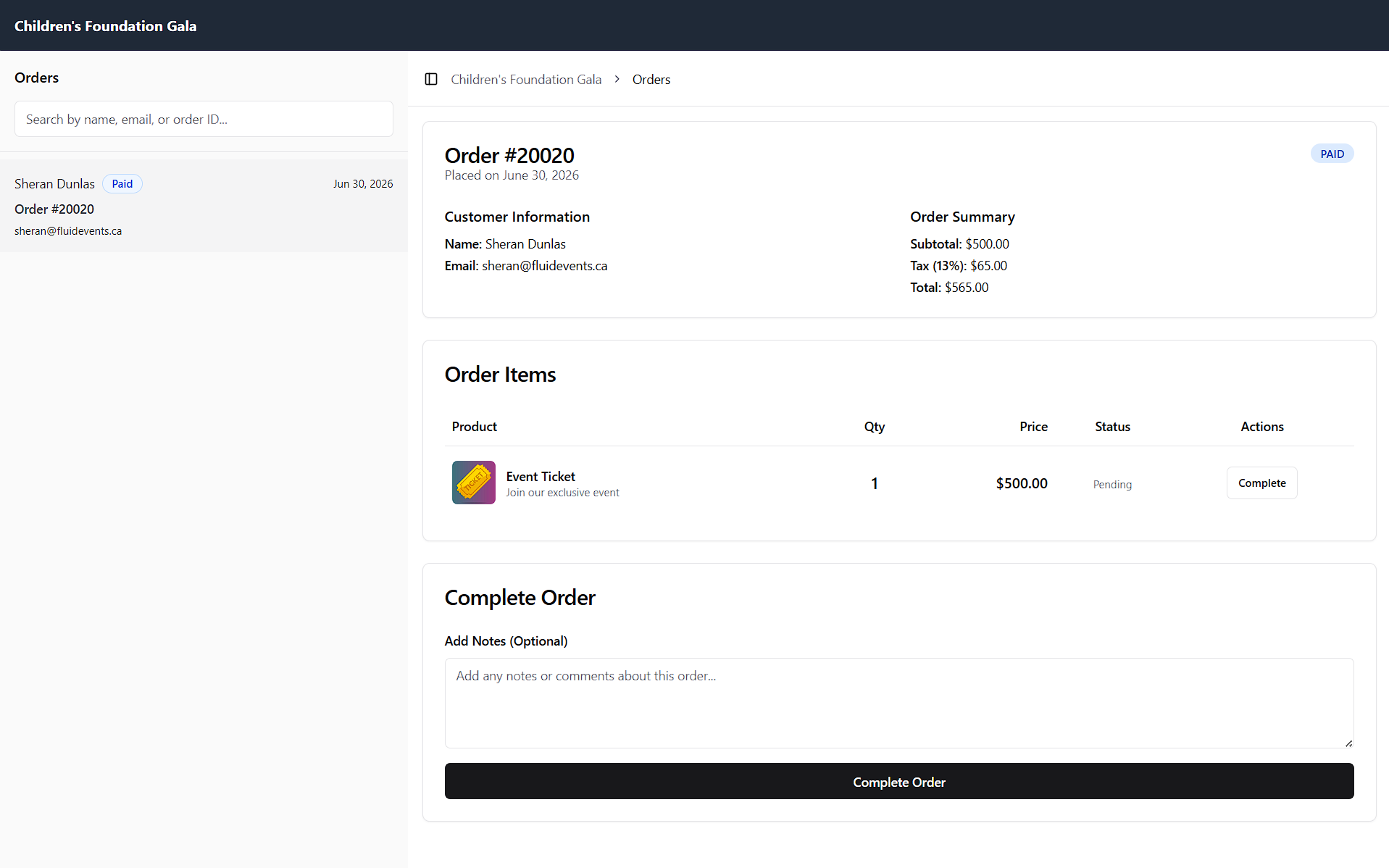
The order fulfillment dashboard is a web-based tool for tracking orders and marking them as delivered. Every purchase made at your event is recorded here automatically, so any staff or volunteers managing fulfillment can access it from a phone, tablet, or computer and search for an order by name, email, or receipt number.
Once an item has been handed to the customer, click Complete Order to mark it delivered. If an order is only partially fulfilled — for example, a guest ordered several items but you only have some on hand — you can mark just the delivered items as complete, making it easy to keep track of what's still outstanding.
Accessing the order fulfillment dashboard
The dashboard is entirely web-based, so there's no app to download or install. To get the link, go to the on-site sales feature and click the Order Fulfillment Dashboard button in the top-right corner. A dialog box will open where you'll need to turn on the link, then copy it and share it with the relevant staff or volunteers.
Please note that you can disable this link after your event so no one can access it. Each time you re-enable it, a new link is generated.