
Live Auction
Tracking payments and receipts
Monitor payment status and manage receipts in one place.
1
Understanding your reports
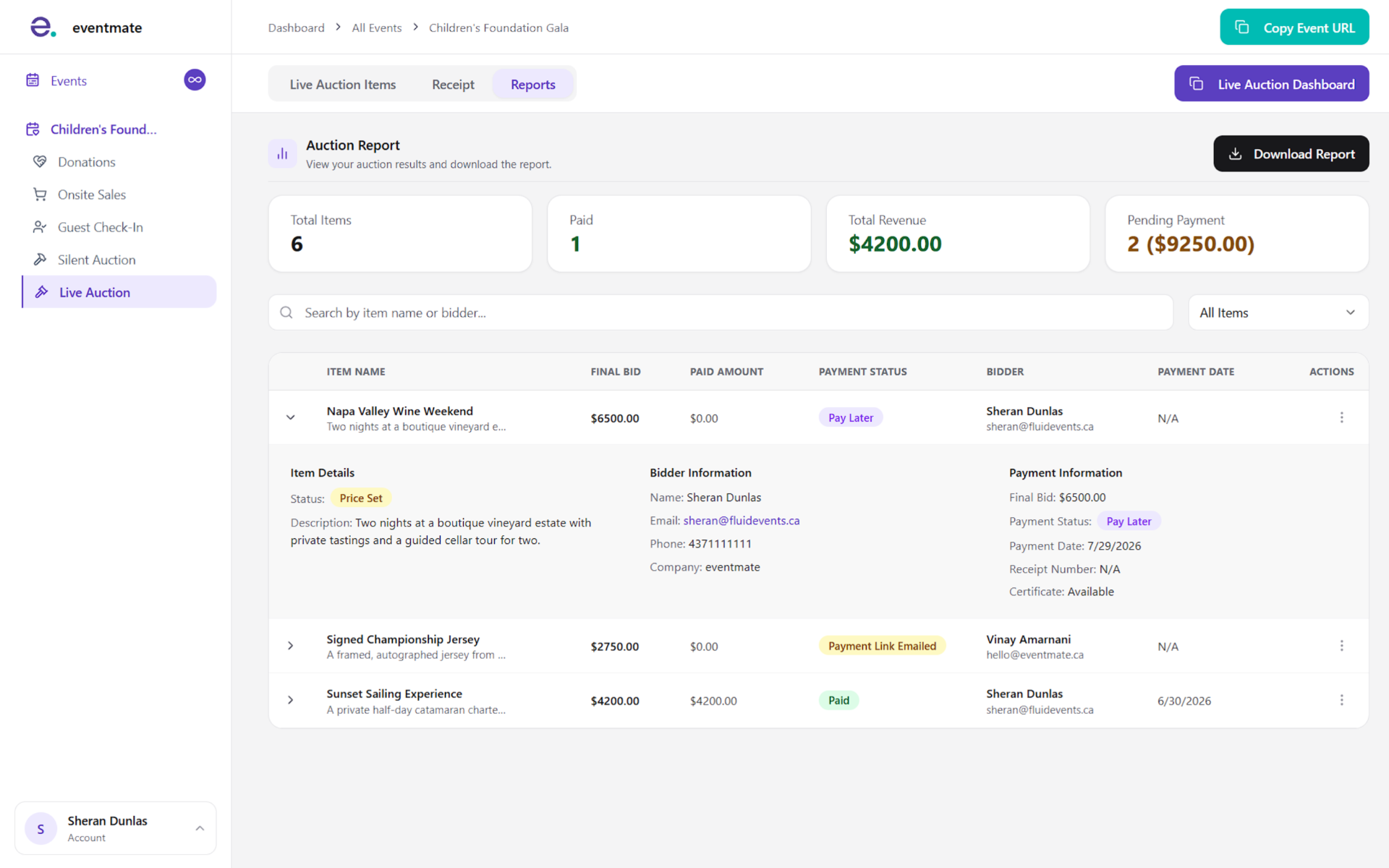
The Reports tab shows the status of every item and bid. Expand an item to view its bidder details. Each item displays one of three payment statuses:
- Paid: The bidder has completed payment.
- Payment Link Emailed: A bid was placed and a payment link was sent, but payment hasn't come through yet.
- Pay Later: You've collected the bidder's details, but no payment link has been sent.
2
Following up on unpaid items
Depending on an item's status, the three-dot menu offers different follow-up options:
- Pay Later: Send the payment link or mark the item as paid.
- Payment Link Emailed: Send a reminder email or mark the item as paid.
- Paid: Resend the receipt or view the receipt.