Silent Auction
Understanding your reports
Track funds, bidding activity, and bidder performance at a glance.
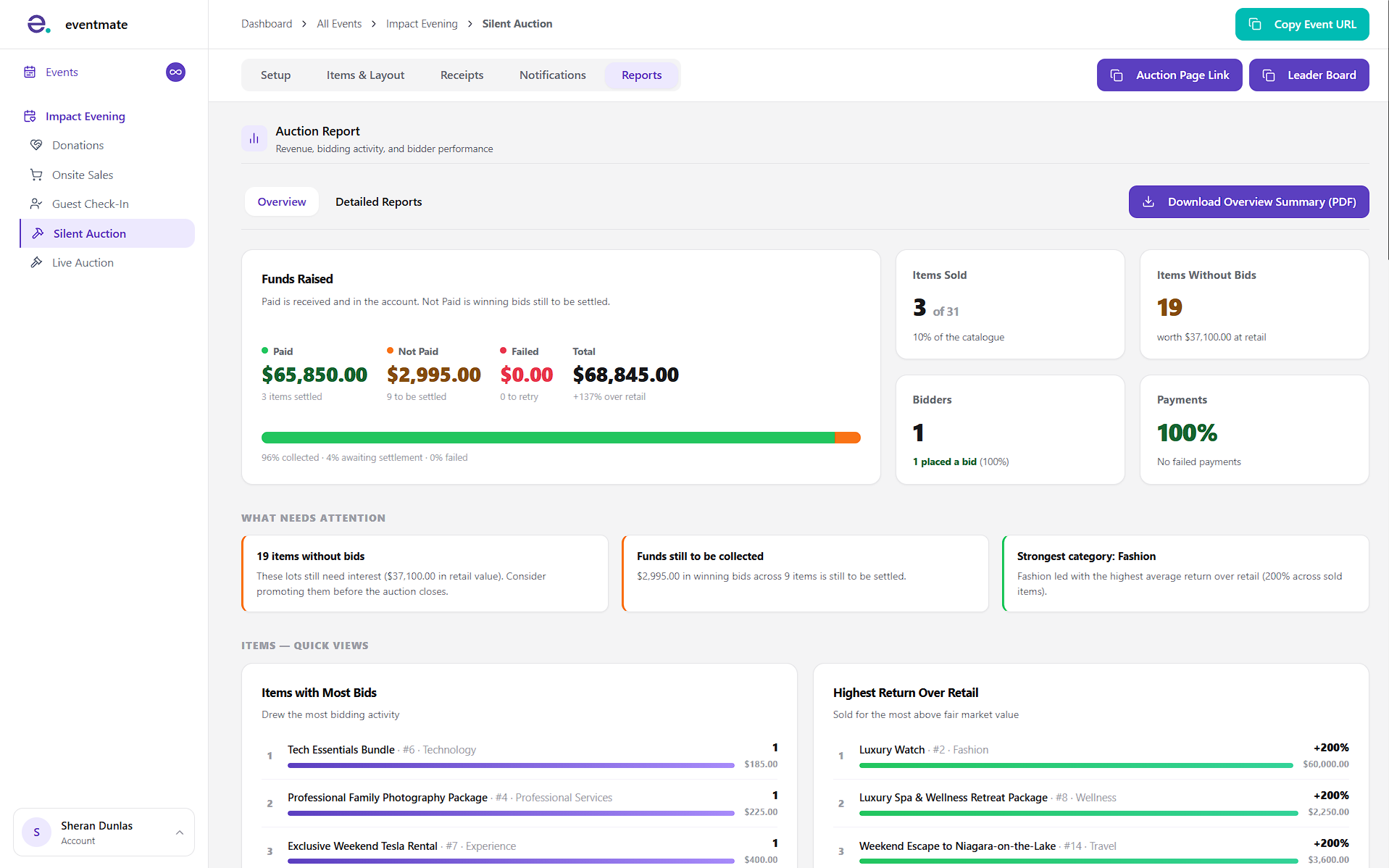
Reading your overview
The Overview tab gives you a live snapshot of how your auction is performing.
At the top, the Funds Raised panel breaks down what's been paid, what's still to be settled, and what's failed, alongside quick stats like items sold, items without bids, number of bidders, and payment success.
Below that, What Needs Attention flags things worth acting on — like items with no bids or funds still to collect — and a series of quick-view panels highlight your top performers, funds by category, bidding over time, top contributing items, and the bidder journey from sign-up to payment.
Digging into detailed reports
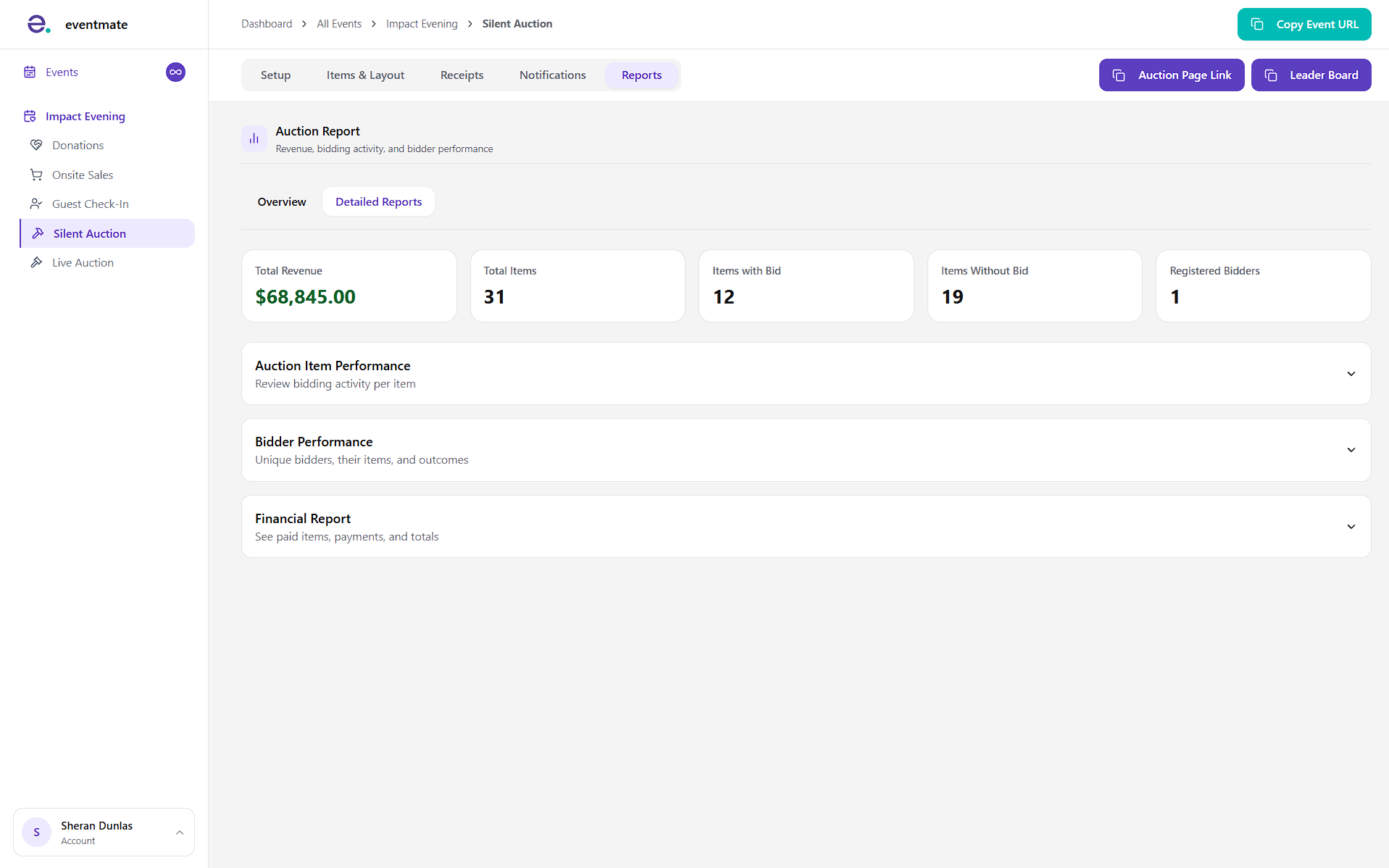
The Detailed Reports offers three deeper breakdowns, each expandable and exportable:
- Auction Item Performance: Review bidding activity for every item, including retail value, current bid, return over retail, and bid count.
- Bidder Performance: See each bidder's activity — items bid on, total bids, win rate, total committed, and last active.
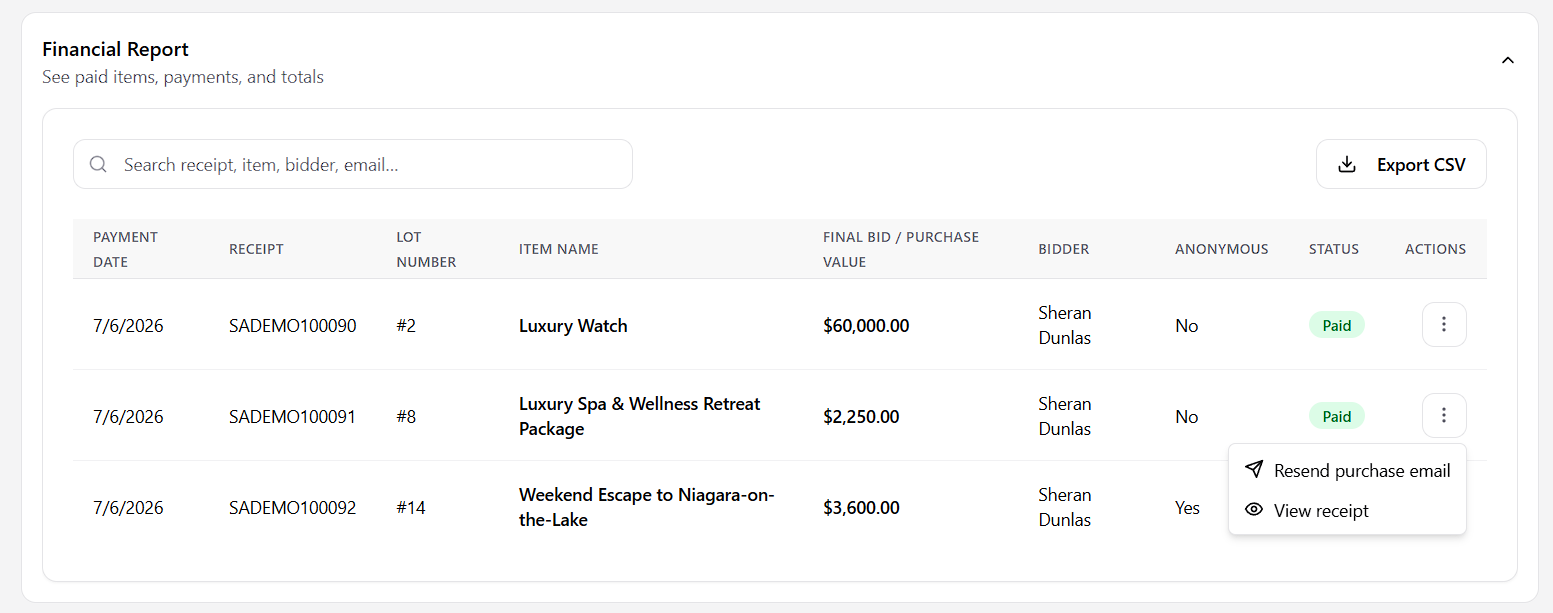
- Financial Report: Review every paid item and payment, searchable by receipt, item, bidder, or email.
Managing payments and receipts
In the Financial Report, click the three-dot menu on any row to manage that payment.
For a completed payment, you can Resend purchase email or View receipt.
If a payment failed (for example, due to a credit card issue), you'll instead see the option to copy the payment link to send to the bidder — note that no receipt is generated for a failed payment until it's paid.